🎨 Image Grayscale & Color Effects
Convert images to grayscale, sepia, invert colors, and more. All processing happens in your browser.
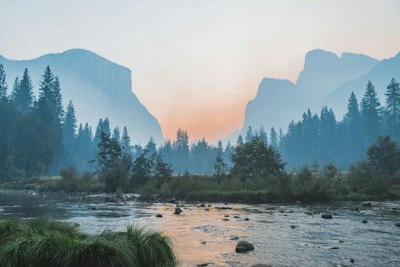
Image Grayscale & Color: Convert to grayscale, sepia, or invert colors
Image Grayscale & Color lets you convert to grayscale, sepia, or invert colors. Upload any image and get a grayscale or recolored image — all processed locally in your browser, with no uploads and no sign-up.
Create black-and-white photos
Create black-and-white photos. This is one of the most common reasons people reach for Image Grayscale & Color — and it handles the job in seconds, entirely in your browser.
Apply sepia for a vintage feel
Apply sepia for a vintage feel. This is one of the most common reasons people reach for Image Grayscale & Color — and it handles the job in seconds, entirely in your browser.
Invert colors for negative effects
Invert colors for negative effects. This is one of the most common reasons people reach for Image Grayscale & Color — and it handles the job in seconds, entirely in your browser.
Everything You Need in a Image Grayscale & Color
Powerful features that make Image Grayscale & Color fast, private, and free.
Live Preview
See every adjustment instantly before you download.
Fine Controls
Adjust intensity, color, and position with precise sliders.
Non-Destructive
Your original image is never modified — download a new copy.
100% Private
All editing happens locally in your browser.
Free Forever
No sign-up, no watermarks, no limits.
Instant Results
Edits apply instantly — no rendering queue.
How to Use
Upload
Select an image from your device or try with a sample.
Choose Effect
Pick grayscale, sepia, invert, or other effects.
Download
Click Apply to process, then Download to save.
Detailed User Guide
Step 1: Upload Your Image
Click the dropzone or drag and drop an image file (JPG, PNG, or WebP). The original image will be displayed and you can preview the effect immediately.
Step 2: Choose a Color Effect
Select from six built-in effects:
- Grayscale — Convert to black & white. Great for documentary or minimalist looks.
- Sepia — Warm brown vintage tone. Classic for portraits and landscapes.
- Invert — Negative film effect. Reverses all colors.
- Posterize — Reduces the number of colors for a poster / pop art look.
- Blur — Softens the image. Useful for backgrounds or dreamy effects.
- Sharpen — Enhances edges for a crisper look.
Step 3: Apply & Download
Click "Apply Effect" to process the image, then click "Download" to save the result as a PNG file.
Best Use Cases
- Social media — B&W or vintage sepia posts get more engagement
- Product photography — Grayscale makes product details pop
- Art projects — Invert or posterize for creative effects
- Backgrounds — Blur an image to use as a soft background
Recommended Tools for Image Projects
Check these useful supplies to print and create your edited images.
Glossy Photo Paper
High-quality photo paper for printing your edited pictures.
Canon SELPHY CP1500
Wireless compact photo printer — print 4x6 photos from your phone.
Matte Inkjet Art Paper
Matte heavy-weight paper for art prints & graphic works.
SanDisk Extreme SSD 1TB
Rugged portable SSD — fast backup for photos, videos, and large files.
Etekcity 24" 5-in-1 Reflector
Ultra-lightweight 8oz reflector — easy to carry on location shoots.
As an Amazon Associate, we earn from qualifying purchases.